Get work done
Built for how work really happens: different teams, different users, different stages. All on simple but flexible boards that connect to get work done.
Trusted by the world's most innovative teams



The reality
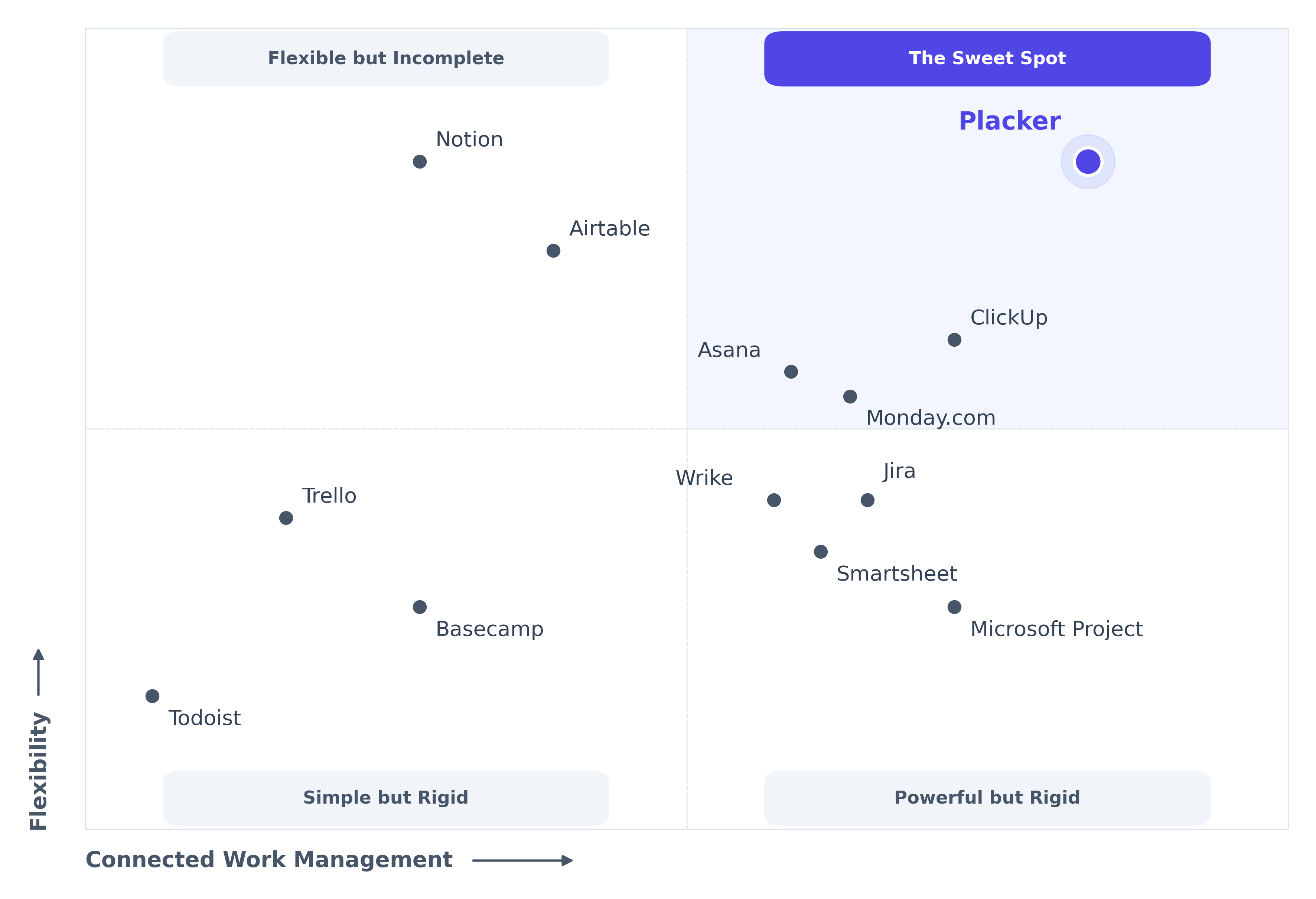
Work is flexible. Most tools aren't.
Work doesn't stay in one place. It flows between teams, through stages, with diverse working styles.
Most tools ignore this. They force everything into one place, managed one way. This results in:
- Everything gets cramped together
- Different stages and types of work forced into the same space. Planning items mixed with active work, and simple execution gets buried.
- Structure becomes rigid
- Everyone forced into the same view and workflow. Product managers need timelines, developers need Kanban. Both stuck with a structure that fits neither.
- You lose simplicity OR visibility
- Simple tools lack visibility for managers. Powerful tools overwhelm teams. You can't get both adoption and control.
You need a tool built for how work actually flows. Flexible and connected.
How Placker works
Placker adapts to how you work
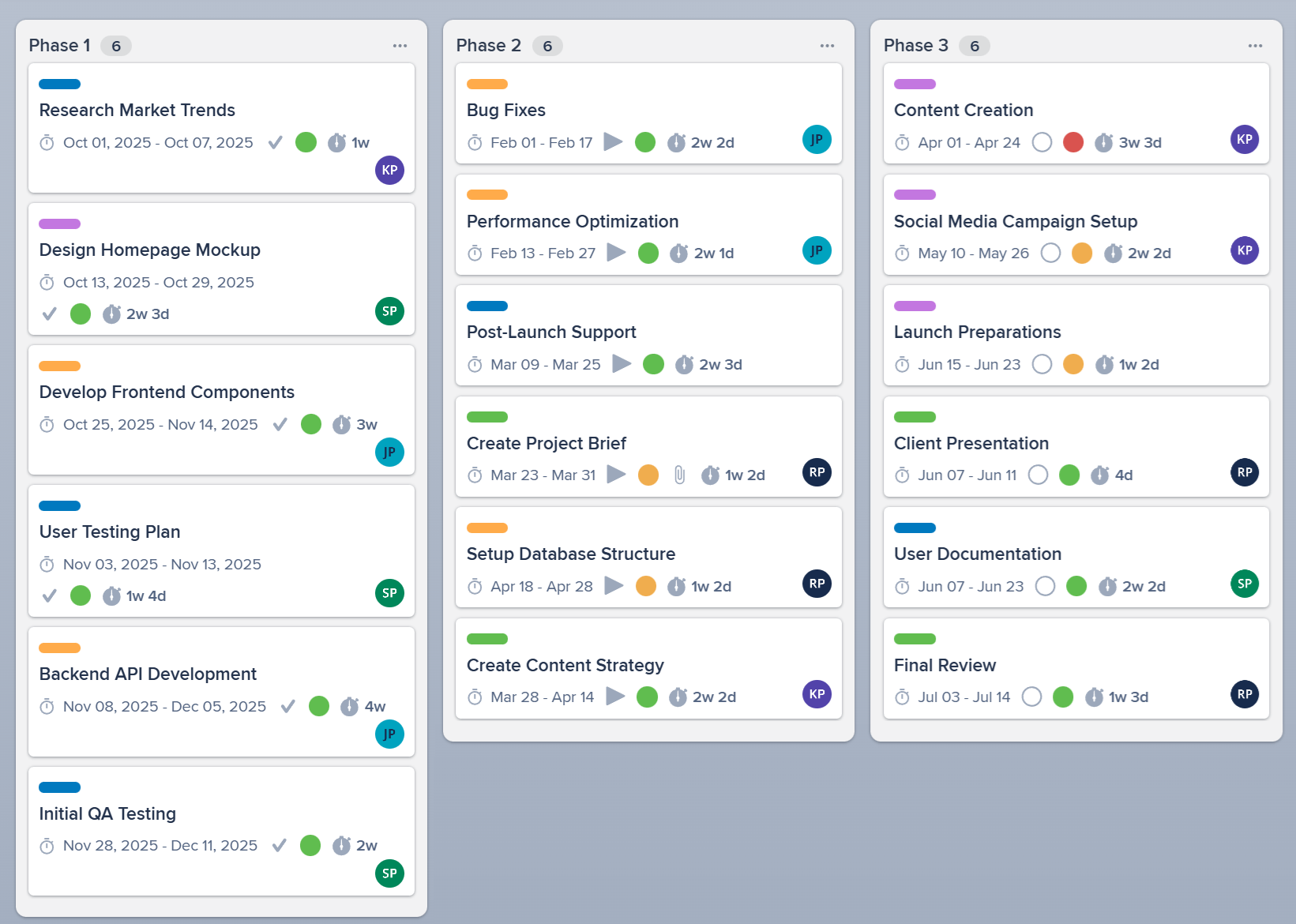
Specialized board layouts that work together. Tailor boards to specific phases. Connected as work flows.
- Each board fits its purpose
- Backlog boards for grooming. Planning boards for timelines. Execution boards for daily work. No forced structure.
- Boards connect seamlessly
- Work flows between boards naturally. Board Groups give you visibility across everything.
- Everyone sees what they need
- Teams work in simple boards. Managers see cross-board reports. Same work, different views.
What is Placker?
A work management platform that actually works for your team. Flexible views (Board, Gantt, Reports) let everyone work their way on single boards or across many. Automation and mirroring eliminate the tedious coordination work. Ready for AI workflows.
✨ Key Features
- Structure work flexibly with simple boards lists and cards
- Switch between Board, Gantt Planner or Reports views
- Combine boards into groups for unified visibility
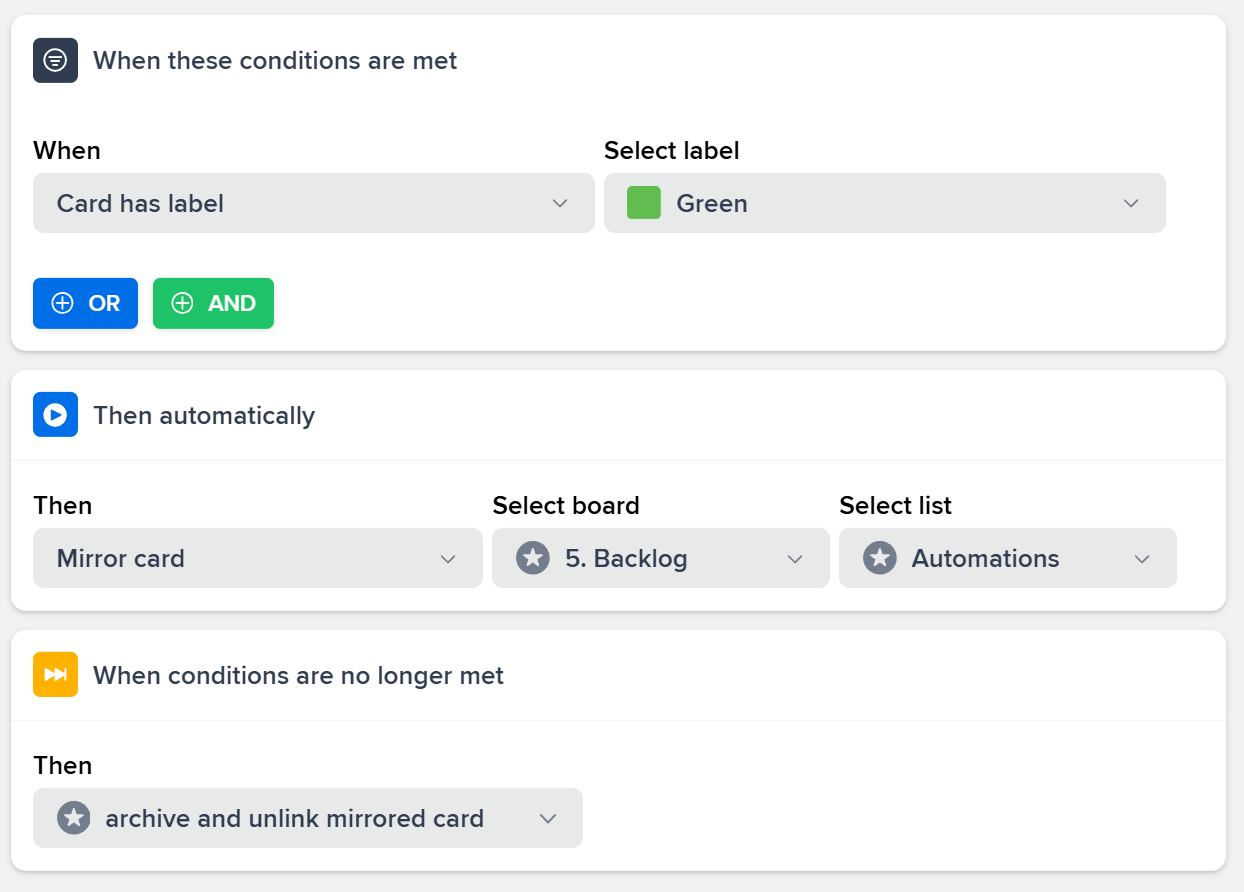
- Mirror cards across multiple boards with automatic sync
- See timelines and reports spanning all your boards
- Automate workflows so cards flow between boards automatically
👥 Perfect For
- Individuals or teams managing multiple projects
- Product teams moving work from backlog through execution
- Event and marketing agencies managing multiple clients
- Teams wanting simple boards with management oversight
- Operations teams with multistage workflows
- Anyone coordinating work across different teams
Start with a 15-day free trial. Get started in minutes. No credit card required.
Simple by design
It all starts with simple boards, lists and cards
The foundation is familiar: boards organize your work, lists group related items, and cards capture the details. No learning curve, no complex setup. Just a clean structure that feels intuitive instantly.
- Drag and drop simplicity
- Move cards between lists with a simple drag. No complex interfaces or learning curve. If you've used any board tool before, you already know how to use Placker.
- Lists that fit your workflow
- Use lists as stages, priorities, categories, or whatever fits your work. The same simple structure adapts to any process without configuration.
- Cards hold everything you need
- Dates, members, attachments, comments, checklists - all in one place. Cards are simple containers that grow with your needs.
Timeline & Capacity Planning
Timeline & Capacity Planning
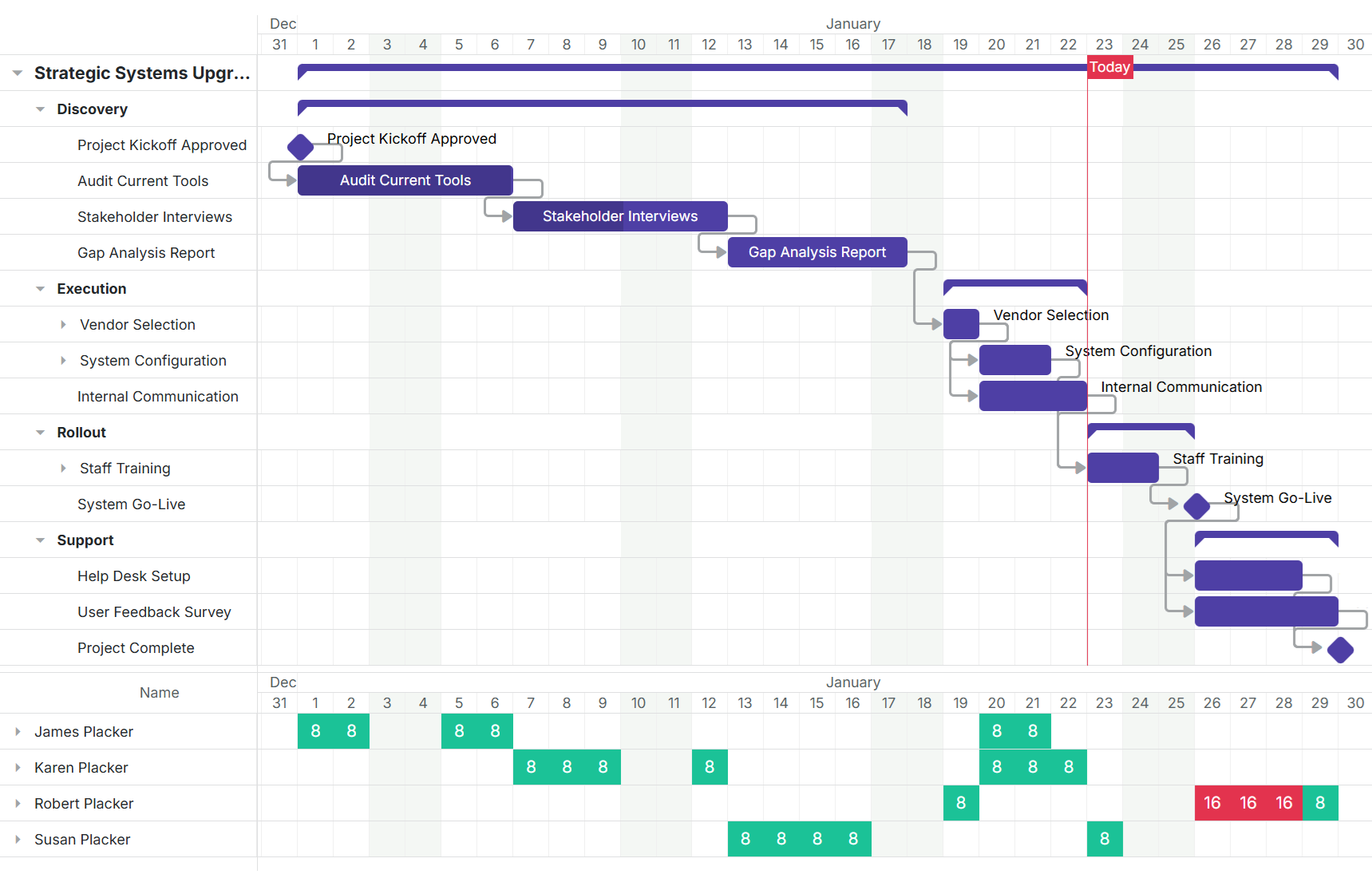
Track project schedules with Gantt charts spanning multiple boards. Manage team capacity and workload. See who is overloaded identify bottlenecks and balance resources across projects.
- Cross-project timelines
- See Gantt charts spanning all your boards and projects. Visualize how work flows across teams and identify scheduling conflicts before they become problems.
- Resource allocation
- Track team capacity and workload across all work. See who's overloaded and who has capacity then balance assignments to keep projects moving without burning out your team.
- Dependency management
- Visualize dependencies and critical paths across multiple boards. Understand which tasks are blocking others and prioritize work to keep everything on schedule.
Stay on Top of Everything
Live dashboards for real-time visibility
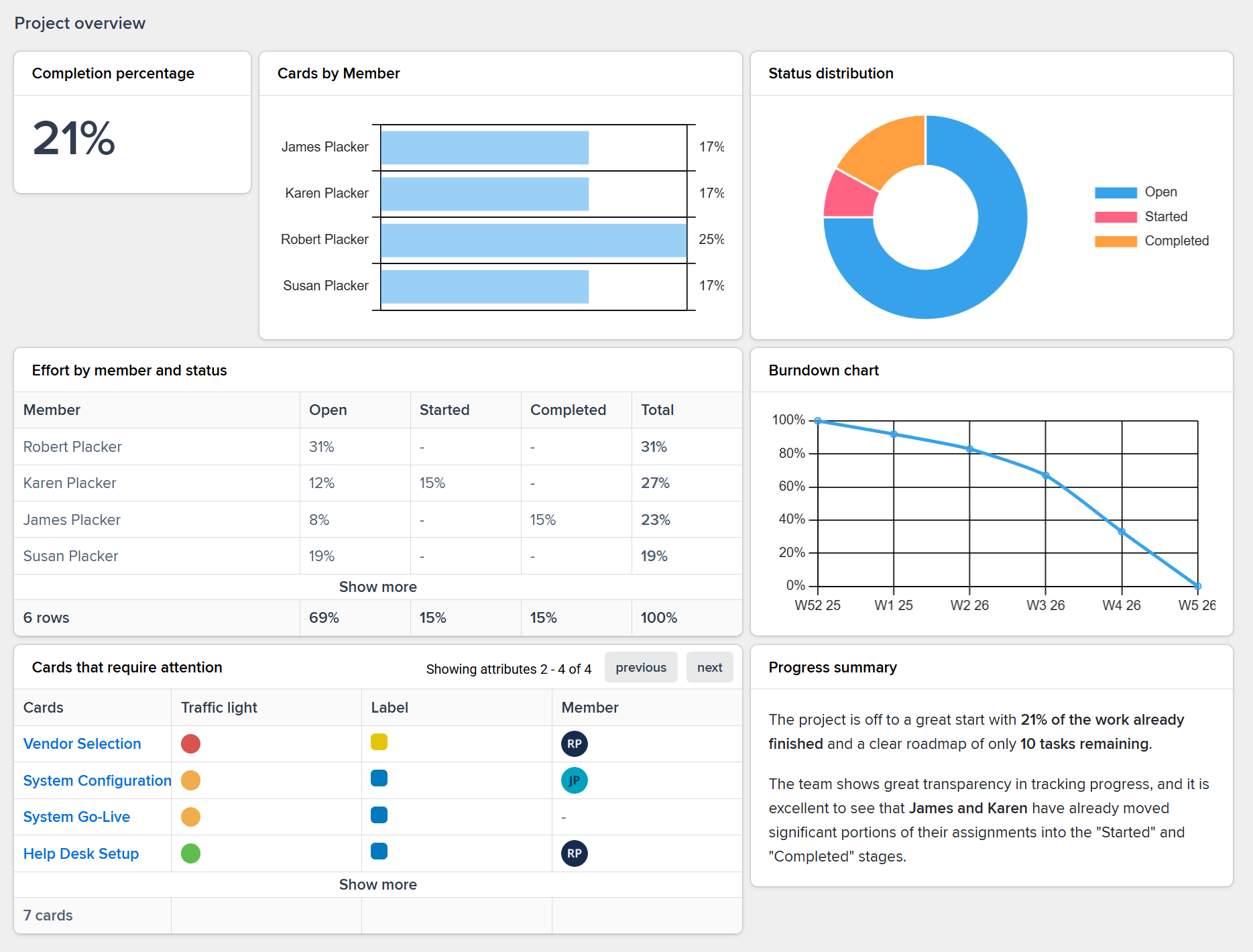
Real-time visibility across all boards. Export and share insights with clients and teams. Track progress and status without manual updates.
- Full stack of widgets
- Build dashboards with charts tables burndowns velocity tracking and custom metrics. Mix and match widgets to create the exact view stakeholders need.
- Live updates
- Real-time data across all boards with no manual refresh needed. Changes flow through automatically so everyone sees current status without spreadsheet exports or status meetings.
- Export and share
- Generate reports and share dashboards with stakeholders who don't need full platform access. Keep leadership informed without giving them another tool to learn.
Work Once Update Everywhere
Same card on multiple boards always in sync
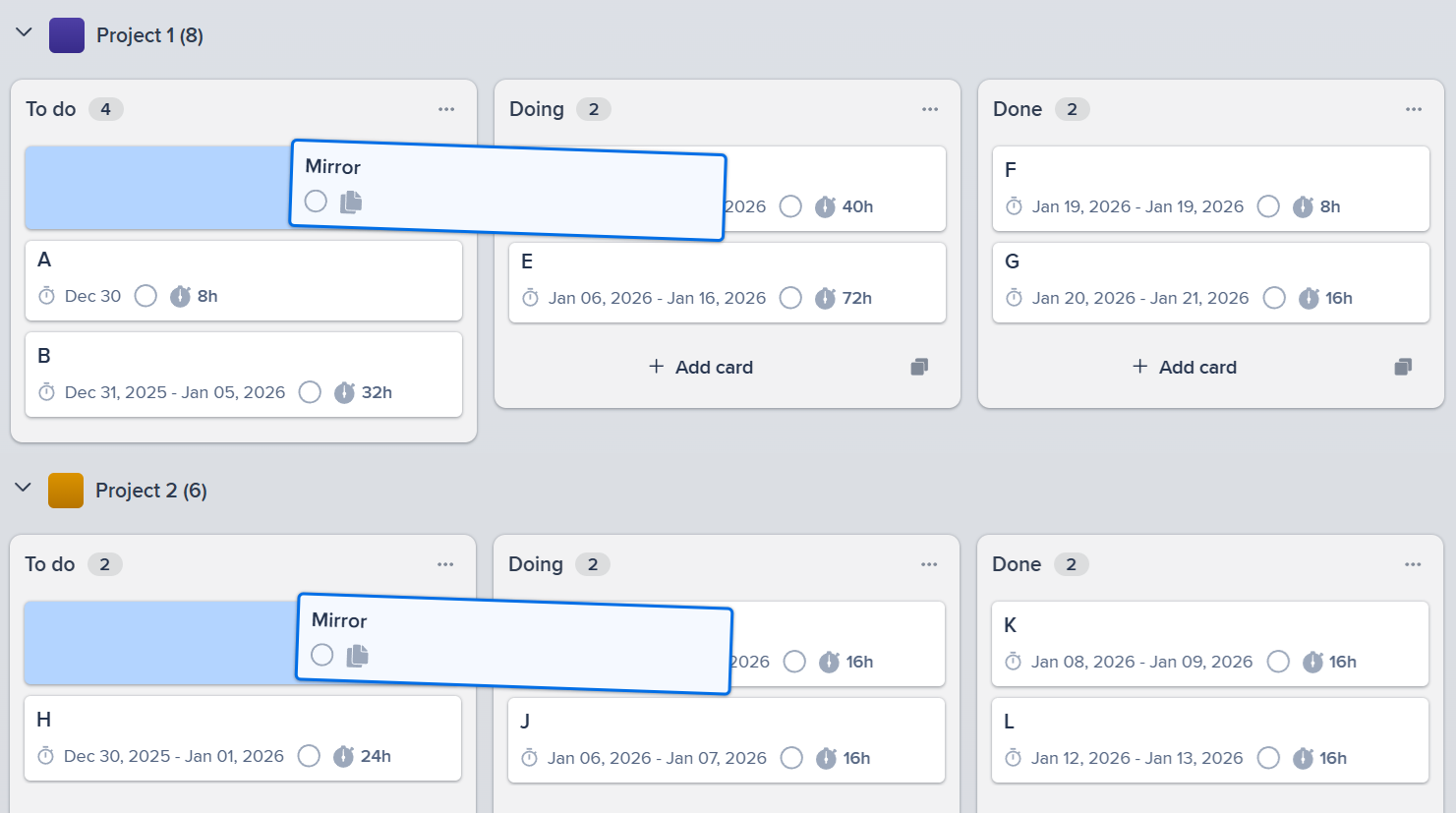
Put the same card on your client board internal sprint board and portfolio view. Update once and sync everywhere automatically.
- Card-to-card mirroring
- Put the same card on multiple boards with automatic two-way sync. Update in one place and changes appear everywhere instantly.
- Work breakdown structures
- Create item-to-card mirrors for multi-level project hierarchies. Break down epics into stories while maintaining automatic rollup of status progress and time tracking.
- Multi-context visibility
- Show the same work in client boards internal sprint boards and portfolio views simultaneously. Each audience sees their context while you manage in one place.
Trusted by thousands managing millions of tasks, we have seen over…
- Cards
- 10 Million
- Boards
- 60.000
- Members
- 140.000
- Power-up Installs
- 285.000+
Trusted by teams worldwide
See what our customers have to say
"You have a fantastic, polished product - very well designed UI and great functionality. Placker is my go-to portal for all of my work. Keep up the amazing work!"
"Fast, reliable, and impressively comprehensive. The configuration options exceeded my expectations."
"Thank you for this amazing tool, it has already improved the way we track and execute big complex projects."
"I am loving Placker. First of all, i can use it online, without needing to install anything. Secondly, i use a lot Trello for engineering projects, so they synergize perfectly. Congratulations to you all."
"The platform works very well, stable and clear."
"Your product is pretty awesome. It's a huge step in the right direction to allow us to keep using Trello, but also to get a Gantt chart."
"I am soo happy to have found Placker. Amazing and JUST what I need as a manufacturing company! All these others seem to cater for agencies and don't get it!!"
"We are very pleased with Placker. It is helping us to organize our projects in a collaborative and agile way!"
"I love how I can visually see all the tasks that need to be done and the ease that I can just drag and drop these project checkpoints into new positions and easily make achievable deadlines for myself, also LOVING the time commitment tracker at the bottom, to give a more realistic picture about how much work can be done during the work day."
"So far I am loving it! Will make our morning huddles much more focused now"
"This is the kind of tool that makes life easier for a project manager."
"The product is awesome. Your dashboard is very good."
"The best part of Placker for me is that it's become part of my morning routine. I wake up, work out, meditate, and then pull up Placker along with Trello to plan my day. The latter used to consist of me trying to recall all of tasks I had to accomplish and making a physical list for the day. Now, I get a snapshot, and I can adjust my plan easily well before my workday begins. I also really like being able to measure the workload of my people so that they don't get overwhelmed without a specific reason."
"The Gantt chart functionality is fantastic! It makes project tracking so much easier."
"The Gantt chart offered a comprehensive birds-eye view of my project, enabling me to streamline the planning process. Its numerous functionalities ensured that I could easily organize and monitor the various stages of my research."
"This might be the best project management program I've ever used. Good job!"
"I love how visual and easy to understand the statistics are. Getting the insights I need is simpler than ever."
"What I most like as a new user is the ease to set up my work environment."
Frequently Asked Questions
Ready to get started?
Easy to setup, no credit card required, start your trial today!