Google Calendar Sync for Trello
Sync your Trello boards with Google Calendar. Never miss a meeting for not having it in your schedule. Real-time updates keep your tasks, deadlines, and events perfectly aligned.
What is Google Calendar Sync (by Placker)?
The Google Calendar Power-Up by Placker instantly syncs your Trello boards with Google Calendar. Changes to cards update your calendar in real-time and vice versa, without any coding. Keep all your tasks, deadlines, and commitments synchronized in one place to never miss a deadline.
✨ Key Features
- Sync Trello cards with Google Calendar in real-time
- Prevent scheduling conflicts automatically
- View all tasks and deadlines in one place
- No coding required for seamless integration
- Track commitments and stay organized effortlessly
- Boost productivity with comprehensive task overview
👥 Perfect For
- Project managers coordinating team tasks
- Teams managing deadlines across projects
- Freelancers tracking client commitments
- Remote teams syncing work schedules
- Event planners organizing schedules
- Individuals balancing work and personal
Start with a 15-day free trial. Get started in minutes. No credit card required.
Trusted by teams worldwide
See what our customers have to say
"My experience is being excellent. The tool is very simple and exactly what I needed."
"It was easy to set up the automations"
"Fast, reliable, and impressively comprehensive. The configuration options exceeded my expectations."
"I am so happy with the Power-Up. Thank you."
"This is one of the best addons I have found. Thanks!"
"The platform works very well, stable and clear."
"This is the kind of tool that makes life easier for a project manager."
Complete Schedule
Unified Calendar View
Visualize your full schedule. Trello tasks and calendar events integrated seamlessly. Prevent double-booking.
- One or two-way event and card creation
- Choose whether to sync changes in both directions or only from Trello to Calendar (or vice versa).
- Sync all cards or only assigned to yourself
- Filter the calendar sync to show every card on the board or only the specific tasks assigned to you.
- Also sync cards created before the connection
- Retroactively sync existing cards to your calendar, not just new ones created after setup.
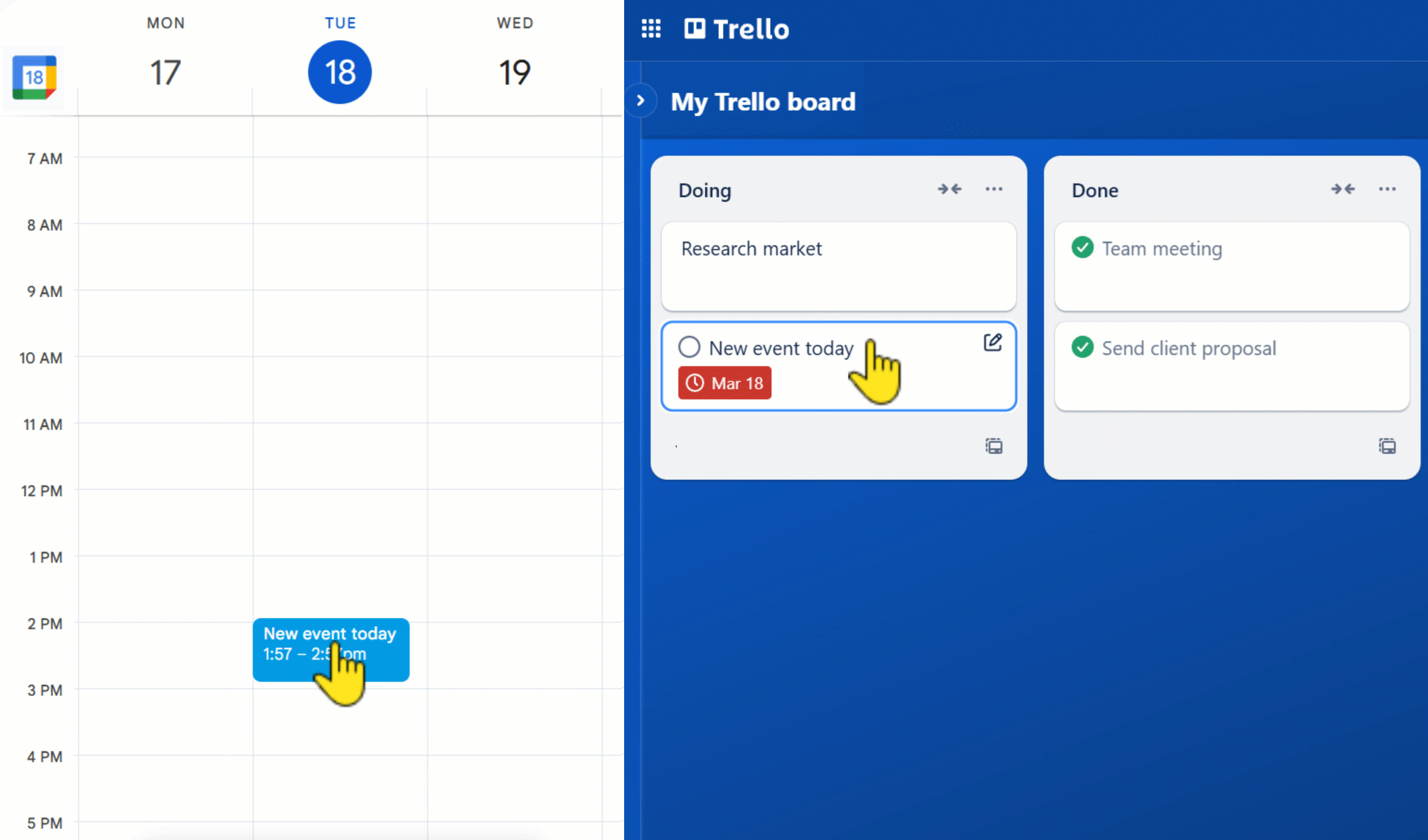
Real-Time Updates
Two-Way Synchronization
Changes in either app instantly reflect in the other. Perfect alignment without manual work.
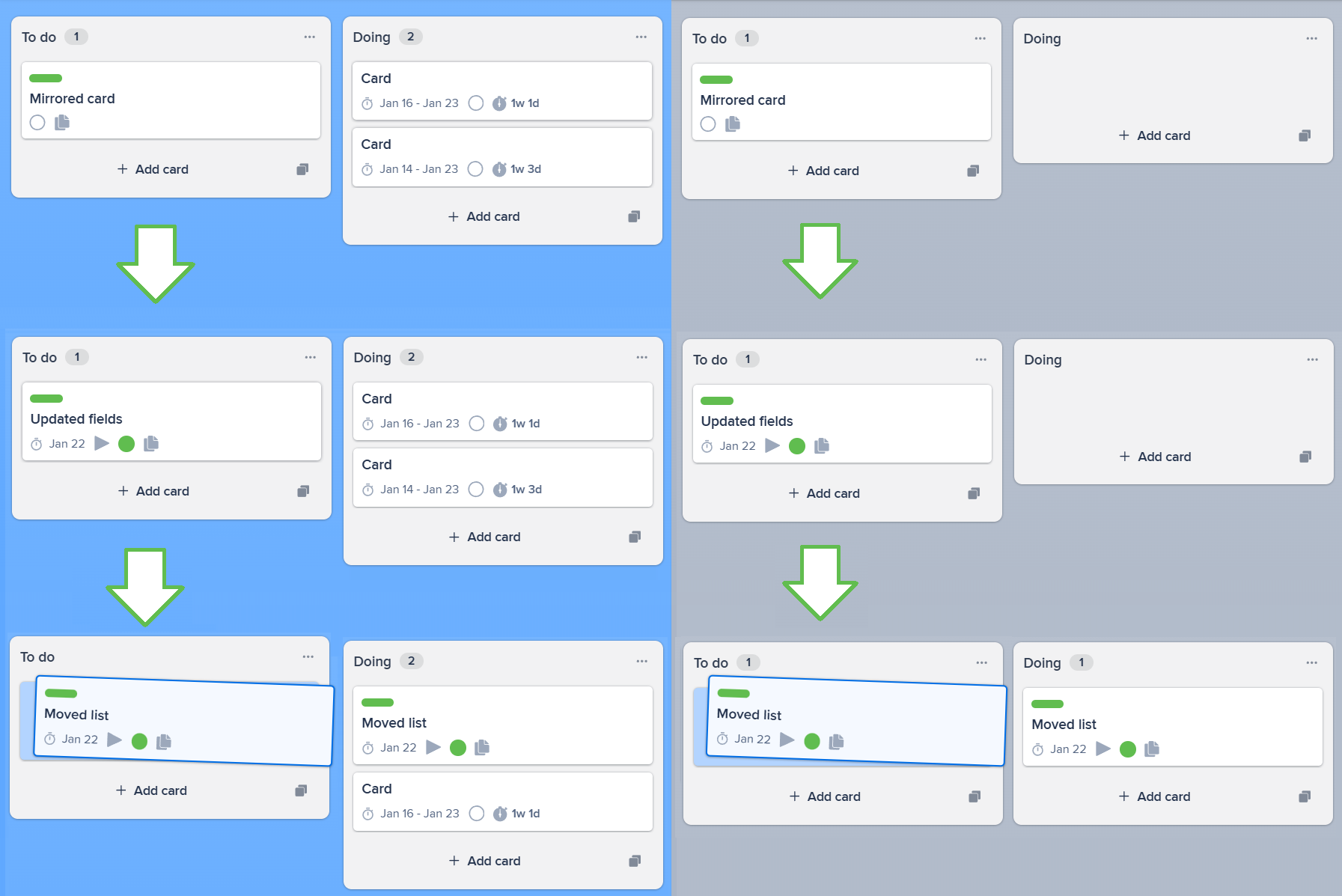
- Update one card, sync everywhere automatically
- Changes made to any mirrored card instantly sync to all connected cards. Add a comment, update due dates, or change labels. Everything stays in sync without manual work.
- Mirrored cards work in every Trello view
- Unlike basic mirror links, mirrored cards appear and function in Calendar view, Timeline, Board view, and all power-ups. They're real cards, not just links.
- Keep teams aligned without switching boards
- Sales sees the same card as Operations sees as Marketing sees. Everyone works on their own board while staying perfectly synchronized across teams.
Easy Integration
Zero-Maintenance System
Connect once and forget it. Syncs run continuously in the background with no manual oversight.
- Automatic Background Sync
- Synchronization runs continuously behind the scenes without manual triggers.
- Set-and-Forget Configuration
- Configure your sync rules once and rely on them to work indefinitely.
- Self-Healing Connections
- The system automatically detects and resolves connection issues.
Ready to supercharge your Trello boards?
Start your 15-day free trial today. No credit card required.